 CodeGuru
Read your check engine light in 60 seconds.
CodeGuru turns your phone into a full OBD2 car scanner. Plug an ELM327 adapter into the port under your dashboard, and read the fault codes your car is actually storing — in plain words, in your own language, with no account and no internet.
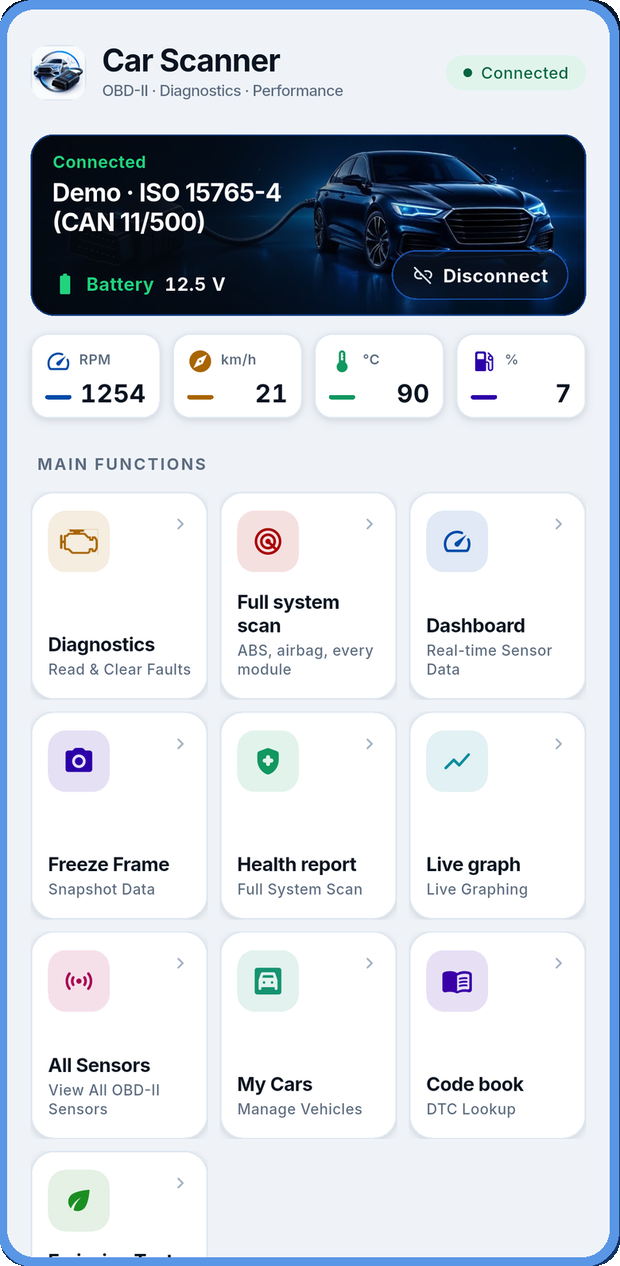
A workshop scan tool, in your pocket
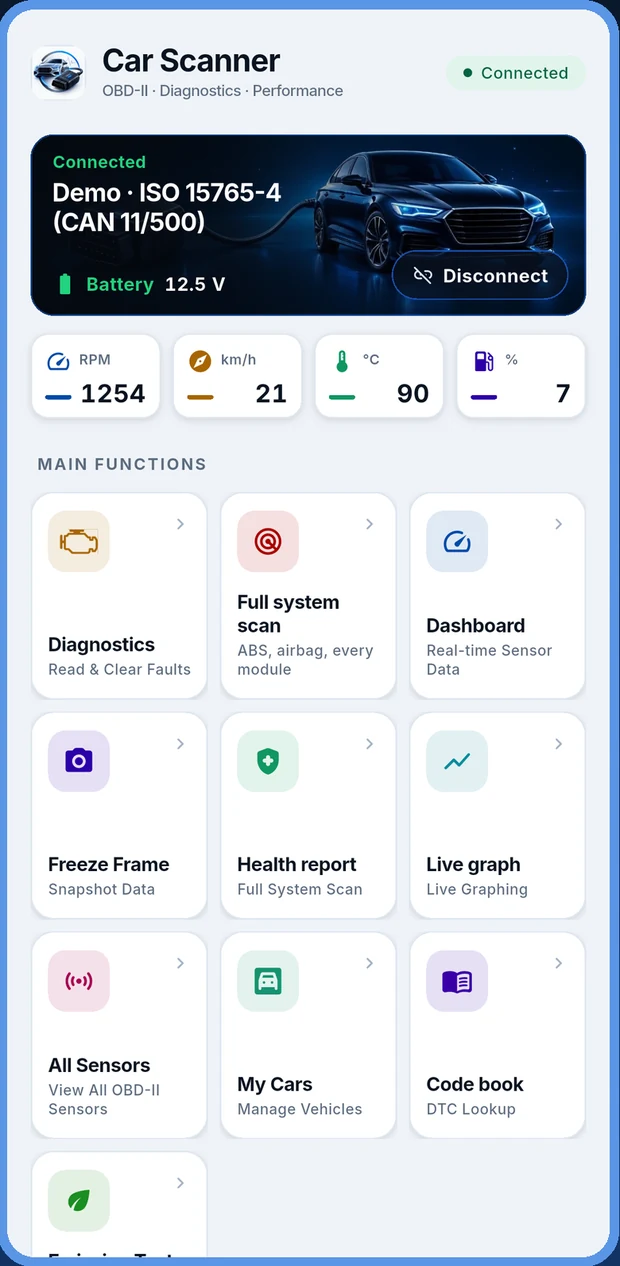
Everything a handheld code reader does, plus the things handhelds leave out — every module in the car, live graphs, and a report you can share with your mechanic.
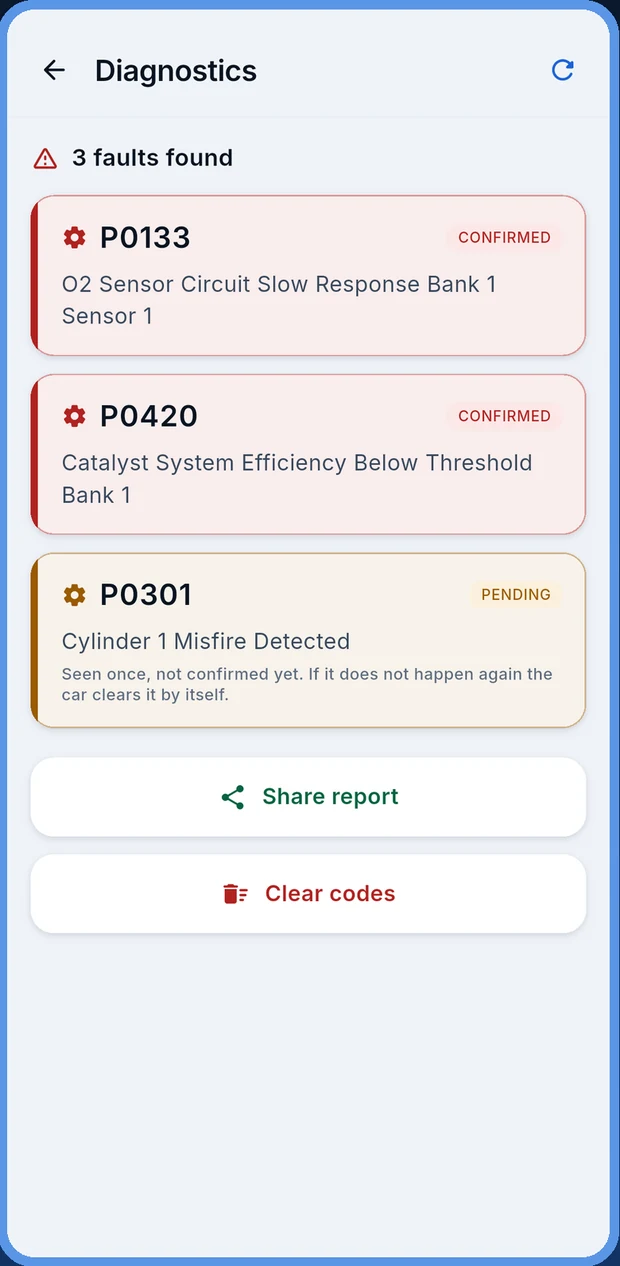
Read & clear fault codes
Pull every stored, pending and permanent DTC, each one explained in plain words. Clear them with one tap once the repair is done and watch the check engine light go out.
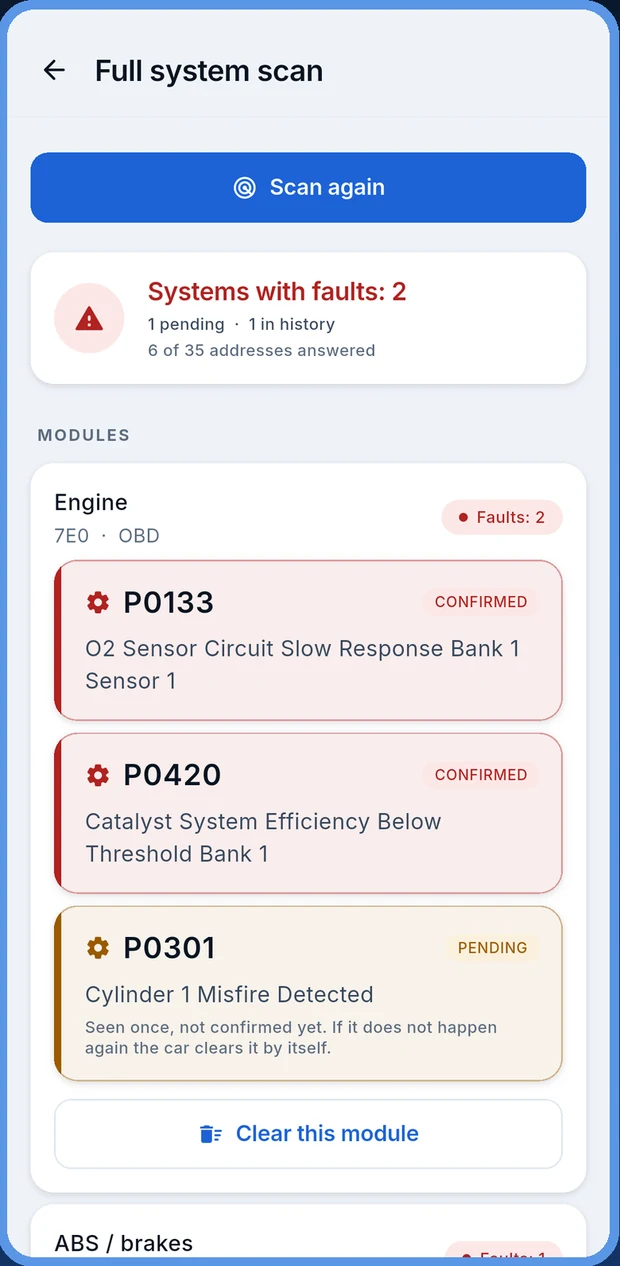
Full system scan
Most apps read the engine and stop. CodeGuru asks every module your car answers for — ABS, airbag and SRS, gearbox, power steering, body control, immobiliser — and lets you clear one on its own.
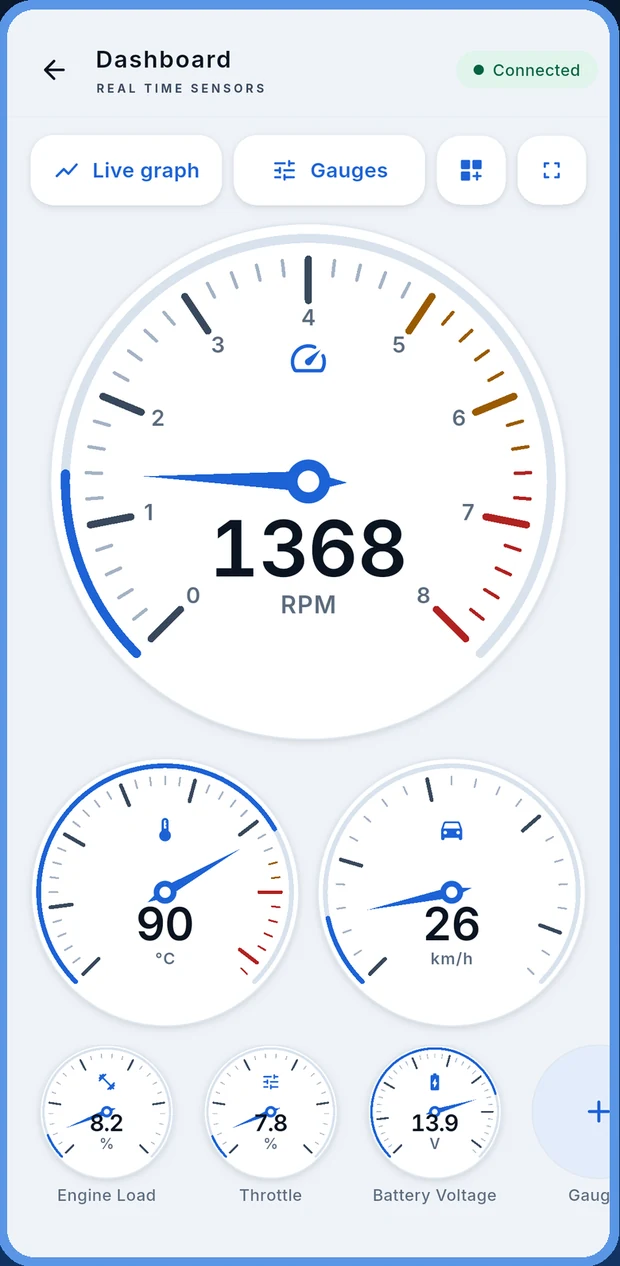
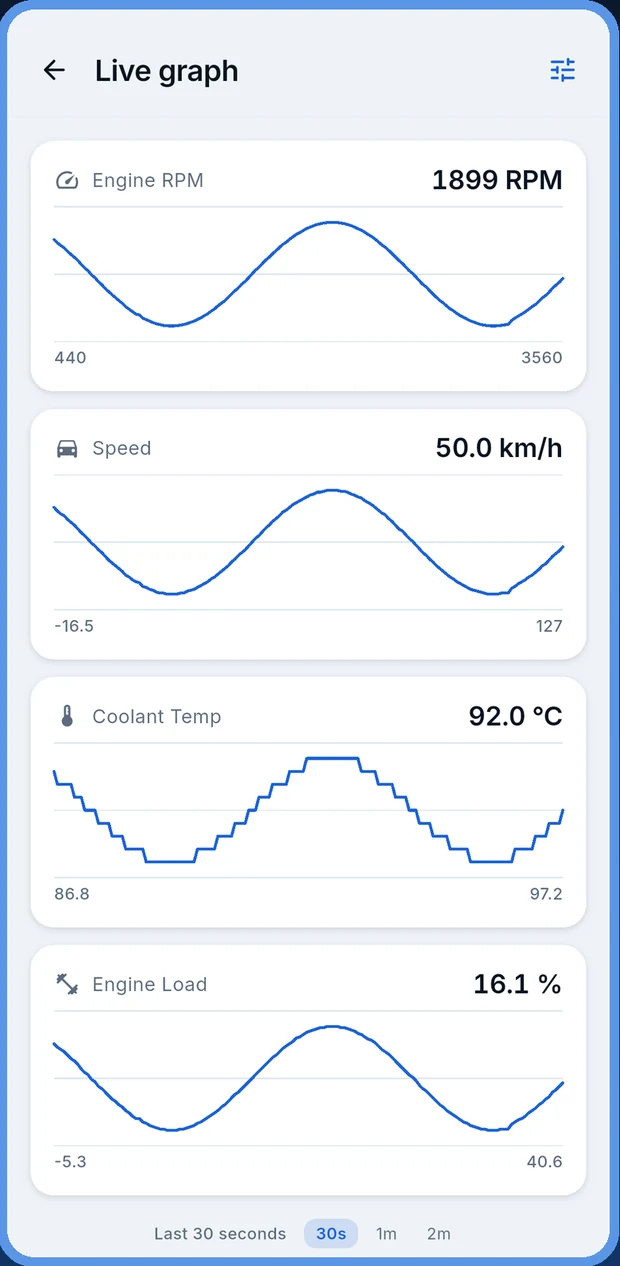
Live gauges & graphs
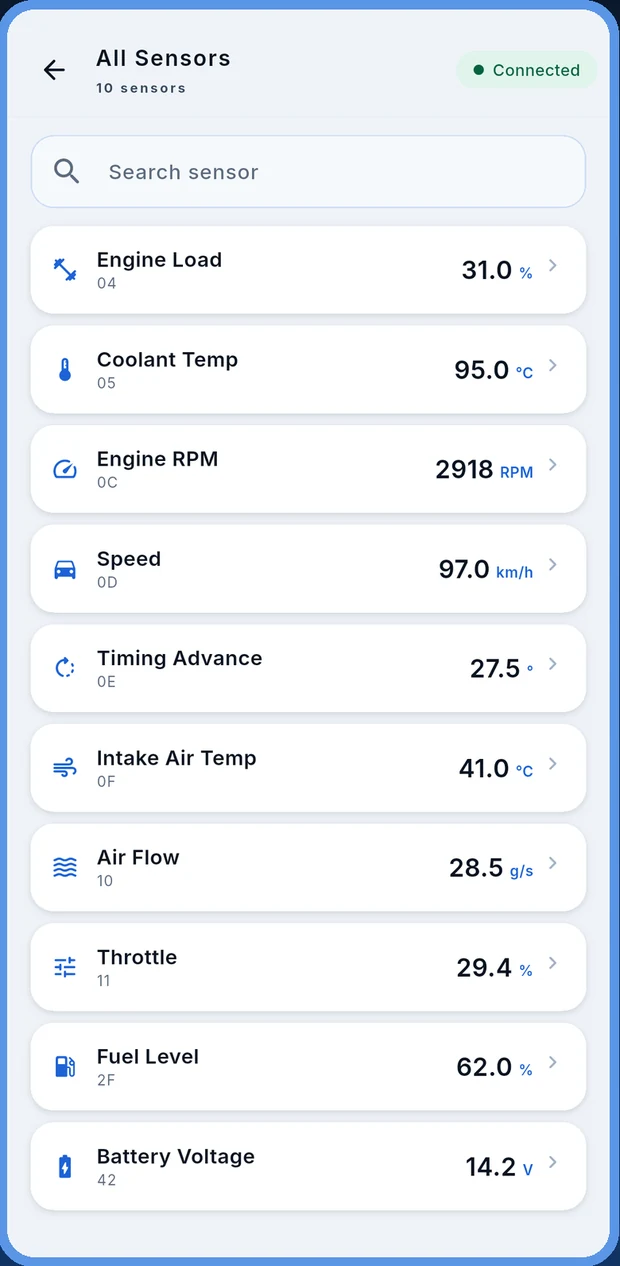
A real-time dashboard with gauges you drag into the order you want: RPM, speed, coolant, intake air, engine load, throttle, MAF, fuel level, timing advance and battery voltage. Graph any of them over 30 seconds, 1 minute or 2.
Health report & emission check
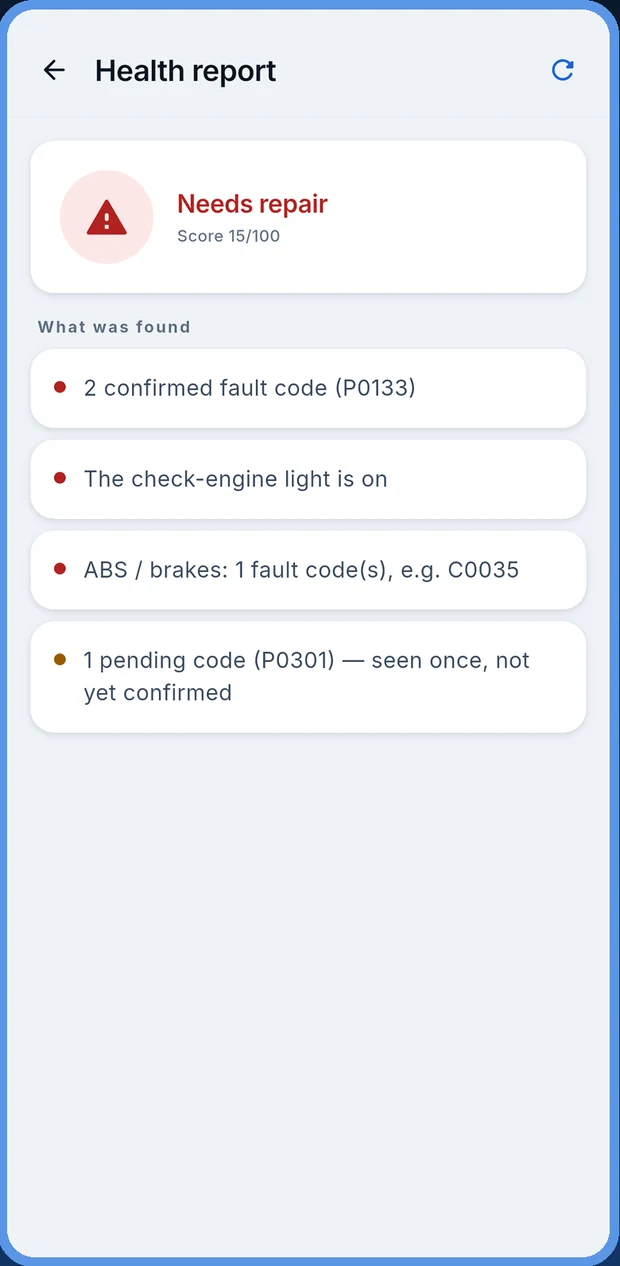
A health score with a plain-language summary of what was found, plus the emission readiness check that tells you whether the car will pass an inspection before you drive to the test centre.
Freeze frame & Mode 06
Freeze frame shows the exact sensor values at the moment a fault was stored — the single most useful clue for an intermittent problem. Mode 06 exposes the on-board monitor test results the car runs on itself.
Trips & performance
A trip log with distance, time, fuel use and how gently the car was driven, with an optional GPS route. Plus 0–100 km/h, the 402 m quarter mile and a 100–0 braking test.
Built to be read, not decoded
Every screen is designed so a driver understands it, and a mechanic trusts it.
Three steps, about a minute
Plug in the adapter
The OBD2 port is a 16-pin trapezoid socket, almost always within arm's reach of the steering wheel — under the dash, behind a flap, or near the fuse box. Push the adapter in until it clicks, then turn the ignition to the ON position.
Pair and connect
Open CodeGuru and pick your adapter. Bluetooth Classic, Bluetooth Low Energy, WiFi and USB OTG are all supported, so whichever ELM327 clone you own, there is a path for it. The app detects the protocol your car speaks on its own.
Scan and read
Tap Diagnostics for engine codes, or Full system scan to question every module. Each fault comes back with its code, a plain-language description, and whether it is live, pending or old history you can ignore.
CodeGuru is the software half of the tool. Any ELM327-compatible OBD2 adapter works; they are widely available online. What the app can show you depends on what your car's modules actually report — no app can display data a vehicle does not provide.
Does it work with my car?
Almost certainly. CodeGuru speaks the OBD-II / EOBD standard, which every manufacturer has been required to implement for decades.
- United States: virtually every car and light truck from 1996 onward.
- Europe: petrol from 2001, diesel from 2004 (EOBD).
- India, Australia and most other markets: anything sold with a 16-pin OBD2 socket.
- Manufacturer-specific codes for 33 makes, on top of the full generic set.
The quickest check: look under the dashboard on the driver's side. A 16-pin trapezoid socket means your car is OBD2.
Does it work with my adapter?
If it says ELM327 on the box, yes. CodeGuru talks to all four kinds, which is unusual — most apps pick one or two.
- Bluetooth Classic — the common black dongle you pair in Android settings.
- Bluetooth Low Energy (BLE) — newer adapters that never appear in the pairing list.
- WiFi — the adapter makes its own hotspot; the app connects over TCP.
- USB OTG — a cable straight from the adapter to the phone, no pairing at all.
Having trouble connecting? The ELM327 setup guide walks through it adapter by adapter.
Free to diagnose. Premium to go deeper.
The part most people need — reading and clearing the check engine light — does not cost anything.
Free
No account, no sign-up
- Read and clear engine fault codes
- All 18,000+ code definitions, offline
- Freeze frame data
- Basic live sensors and gauges
- Emission readiness check
- Trip log and garage
Premium
Monthly, through Google Play
- Everything in Free
- Full system scan of every module
- Every live sensor your car reports, not just the basics
- No ads anywhere in the app
- Cancel any time in Google Play → Subscriptions
Work out what your car is telling you
Plain-English explanations of the codes and the hardware, written for the person holding the phone.
The 10 most common check engine light codes
P0420, P0171, P0300 and the rest — what each one means, what usually causes it, and how urgent it is.
Code deep diveP0420: catalyst efficiency below threshold
The most-looked-up code on the internet, and why replacing the catalytic converter is usually the wrong first move.
SetupConnecting an ELM327 adapter to Android
Bluetooth, BLE, WiFi and USB — the right steps for each, and the fixes for the connection problems people actually hit.
Questions people ask first
Do I need an OBD2 adapter to use the app?
Yes. CodeGuru is the software half of the tool. You need an ELM327-compatible OBD2 adapter — sold separately — that plugs into the diagnostic port under your dashboard. The app connects to it over Bluetooth Classic, Bluetooth Low Energy, WiFi or a USB OTG cable.
Which cars work with an OBD2 scanner app?
Any vehicle built to the OBD-II or EOBD standard. In the United States that is almost every car from 1996 onward. In Europe it is petrol cars from 2001 and diesel cars from 2004. If your car has a 16-pin trapezoid socket under the dashboard, it is an OBD2 car.
Can the app turn off my check engine light?
It can clear the stored fault codes, which turns the light off. If the underlying fault is still there, the module will store the code again and the light will come back, usually within a few drive cycles. Clearing also erases freeze frame data and resets the emission readiness monitors — so do not clear codes right before an emissions test.
Does CodeGuru work without an internet connection?
Yes. The fault code database ships inside the app, so you can diagnose a car at the roadside with no signal at all. There is no account and no sign-up.
What is a full system scan, and how is it different from reading engine codes?
A standard OBD2 read only talks to the engine control unit — that is all the OBD-II standard requires. A full system scan goes further and questions every control module the vehicle answers for: ABS, airbag and SRS, transmission, power steering, body control and more. That is where an ABS light or an airbag light comes from, and a basic code reader will never show it to you.
Is CodeGuru free?
Reading and clearing fault codes, the code lookup, freeze frame and the basic live sensors are free. A premium subscription through Google Play removes ads and unlocks the full system scan and every live sensor your car reports. You can cancel any time in Google Play → Subscriptions.
Is it safe to use while driving?
No. Connect the adapter and start any recording before you move off, then put the phone down. If you want live readings on the road, have a passenger hold the phone. A fault code is also not a diagnosis — it names a circuit or a condition a module noticed, and finding the actual cause is a job for a qualified mechanic.
Is there an iPhone version?
Not yet. CodeGuru is an Android app, available on Google Play.
Stop guessing at the dashboard light
Install CodeGuru, plug in an ELM327 adapter, and find out exactly what your car is reporting — before you pay anyone to tell you.