How to connect an ELM327 adapter to an Android phone
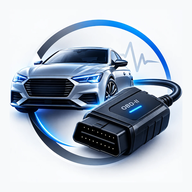
An ELM327 adapter is a small translator. It plugs into your car's diagnostic port, speaks the car's own protocol on one side and plain text on the other, and hands that text to an app on your phone. Get it connected once and reading a fault code takes seconds.
The reason setup trips people up is that "ELM327" covers four genuinely different kinds of hardware, and the steps are not the same for each. The commonest mistake is trying to pair a Bluetooth Low Energy adapter in Android settings, where it will never appear. Work out which kind you have first, and the rest is straightforward.
Finding the OBD2 port
Every car built to the OBD-II or EOBD standard has one, and the standard puts it within reach of the driver's seat. Look for a 16-pin trapezoid socket, roughly as wide as two fingers:
- Under the dashboard on the driver's side, above the pedals — this is where most of them are.
- Behind a small removable flap or coin tray on the lower dash.
- Near or inside the fuse box cover.
- Occasionally in the centre console, under an armrest, or behind the ashtray.
If you cannot find it, a torch and thirty seconds on your back in the footwell usually settles it. Which cars have one:
| Market | From |
|---|---|
| United States | Essentially all cars and light trucks from 1996 |
| European Union | Petrol from 2001, diesel from 2004 (EOBD) |
| Most other markets | Anything sold with a 16-pin OBD2 socket |
Plugging in and powering up
- Push the adapter fully in. It only goes one way round and should seat with a small click.
- Turn the ignition to ON. Not accessory, not off. The engine does not have to be running, but with the key out most adapters have no power and the car's modules stay asleep.
- Check the light on the adapter. Most show a power LED within a second or two. No light at all means no power at the socket — check the fuse for the cigarette lighter or the OBD port, as they frequently share one.
Many adapters draw a small current continuously, and a cheap one left in the port for weeks can flatten the battery of a car that is not driven often. If the car sits for days at a time, unplug the adapter when you are done.
Connecting, by adapter type
Find yours in the table, then follow that section. If you are not sure which you have, the box or listing almost always says — and if it mentions "BLE" or "4.0", it is Bluetooth Low Energy.
| Type | How you can tell | Pair in Android settings? |
|---|---|---|
| Bluetooth Classic | The common black dongle; listings say "Bluetooth" or "3.0" | Yes, first |
| Bluetooth Low Energy | Listings say "BLE", "4.0" or "iOS + Android" | No — in the app only |
| WiFi | Creates its own network, often named WiFi_OBDII | Join its hotspot in WiFi settings |
| USB | A cable, not a dongle | No — needs an OTG cable |
Bluetooth Classic
- With the adapter plugged in and the ignition on, open Android Settings → Connected devices → Pair new device.
- Pick the adapter. It usually appears as
OBDII,OBD2,V-LINKor something similar. - Enter the PIN. It is
1234on the overwhelming majority; a few use0000or6789. - Open your scanner app, choose the paired adapter from its list, and connect.
Android will say "paired, not connected" and that is correct — pairing is just the handshake. The app makes the actual connection.
Bluetooth Low Energy (BLE)
- Do not pair it in Android settings. BLE adapters generally do not show up there at all, and trying is the single biggest source of confusion.
- Make sure Bluetooth is on, and grant the app the Nearby devices permission. On some Android versions, scanning for BLE devices also needs Location switched on — that is an Android requirement, not something the app chooses.
- Open the app, scan for devices, and pick the adapter there.
WiFi
- With the adapter powered, open Android Settings → WiFi and join the network it broadcasts — usually something like
WiFi_OBDIIorV-LINK. The password, if there is one, is in the adapter's leaflet. - Android will warn that this network has no internet. Stay connected anyway, and tell Android to keep using it if it offers.
- Open the app and connect. The default address is nearly always
192.168.0.10on port35000.
USB OTG
- You need an OTG adapter or cable — plain charging cables do not carry the host signalling.
- Plug the adapter into the OBD2 port and the cable into the phone. Android will ask for permission to let the app use the USB device; allow it.
- Connect in the app. There is no pairing and no network, which makes USB the most reliable of the four when it is an option.
All four, in one app CodeGuru handles Bluetooth Classic, BLE, WiFi and USB — most apps support only one or two.
Get the appYour first scan
Once connected, the app negotiates which OBD2 protocol your car speaks — most modern cars use CAN, older ones one of several earlier standards — and you do not need to choose it yourself. From there:
- Read fault codes to see what the engine control unit has stored. Note whether each is stored, pending or permanent before you clear anything.
- Run a full system scan if your warning light is ABS, airbag or gearbox. A standard OBD2 read only reaches the engine module — everything else needs the wider scan.
- Open the live dashboard to watch RPM, coolant temperature, engine load, fuel trims and battery voltage in real time.
- Check the freeze frame for any code you find: it is the snapshot of conditions at the moment the fault was stored, and it is often the most useful clue you have.
Not sure what the codes mean? Start with the 10 most common check engine light codes.
Connect the adapter and start any recording before you move off, then put the phone down. If you want live readings on the road, have a passenger hold the phone.
When it will not connect
| What you see | Usual cause | Fix |
|---|---|---|
| Adapter not in the list at all | Wrong connection method for the type | Classic → pair in settings first. BLE → app only, never settings. |
| No light on the adapter | No power at the socket | Check the cigarette-lighter / OBD fuse; try another car to confirm the adapter lives |
| Connects, then drops after seconds | Cheap clone resetting, or another app holding it | Close other scanner apps; turn off battery optimisation for the app; plug straight in, not via an extension |
| Connects but reports no data | Ignition not fully on | Turn the key to ON — accessory is not enough |
| Drops only while cranking | Voltage sag during start | Normal. Reconnect once the engine is running. |
| Works on a friend's car, not yours | Protocol or wiring quirk on that vehicle | Try a USB or WiFi adapter; some clones handle certain protocols badly |
| Pairs, then asks for a PIN again | Stale pairing record | Forget the device in Android settings and pair again |
One honest warning about hardware: ELM327 clones vary enormously. A very cheap adapter may claim "V2.1" and implement only part of the command set, which shows up as missing sensors or connections that will not hold. If an adapter misbehaves on every app you try, the adapter is usually the problem — not the phone and not the car.
Still stuck? The support page goes deeper, or write to us with your phone model, the car's make, model and year, and the adapter you have.